
Heavy themes and builders
A typical theme ships megabytes of scripts and styles before a customer sees a single product. Caching makes the same heavy page arrive faster — it doesn't make it lighter.
Next.js storefront for WooCommerce
We replace your slow, generic theme with a premium storefront built around your brand — it loads in a fraction of the time, feels great on mobile and turns more visitors into buyers. Your WordPress admin, orders and plugins stay exactly where they are.
Built on Next.js · Works with your existing WooCommerce · SEO migration plan included
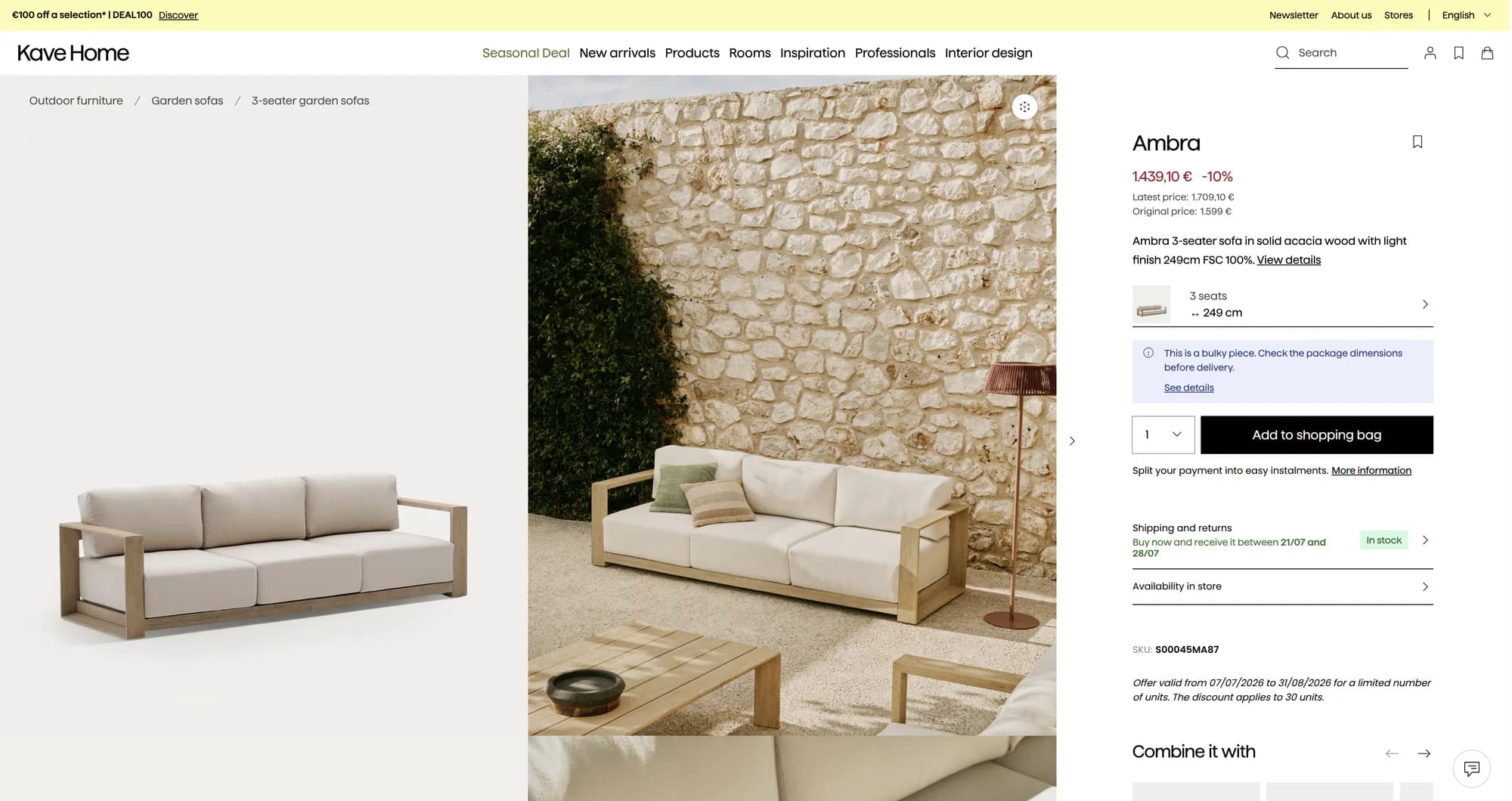
Kave Home · furniture
Warm lifestyle photography and natural tones
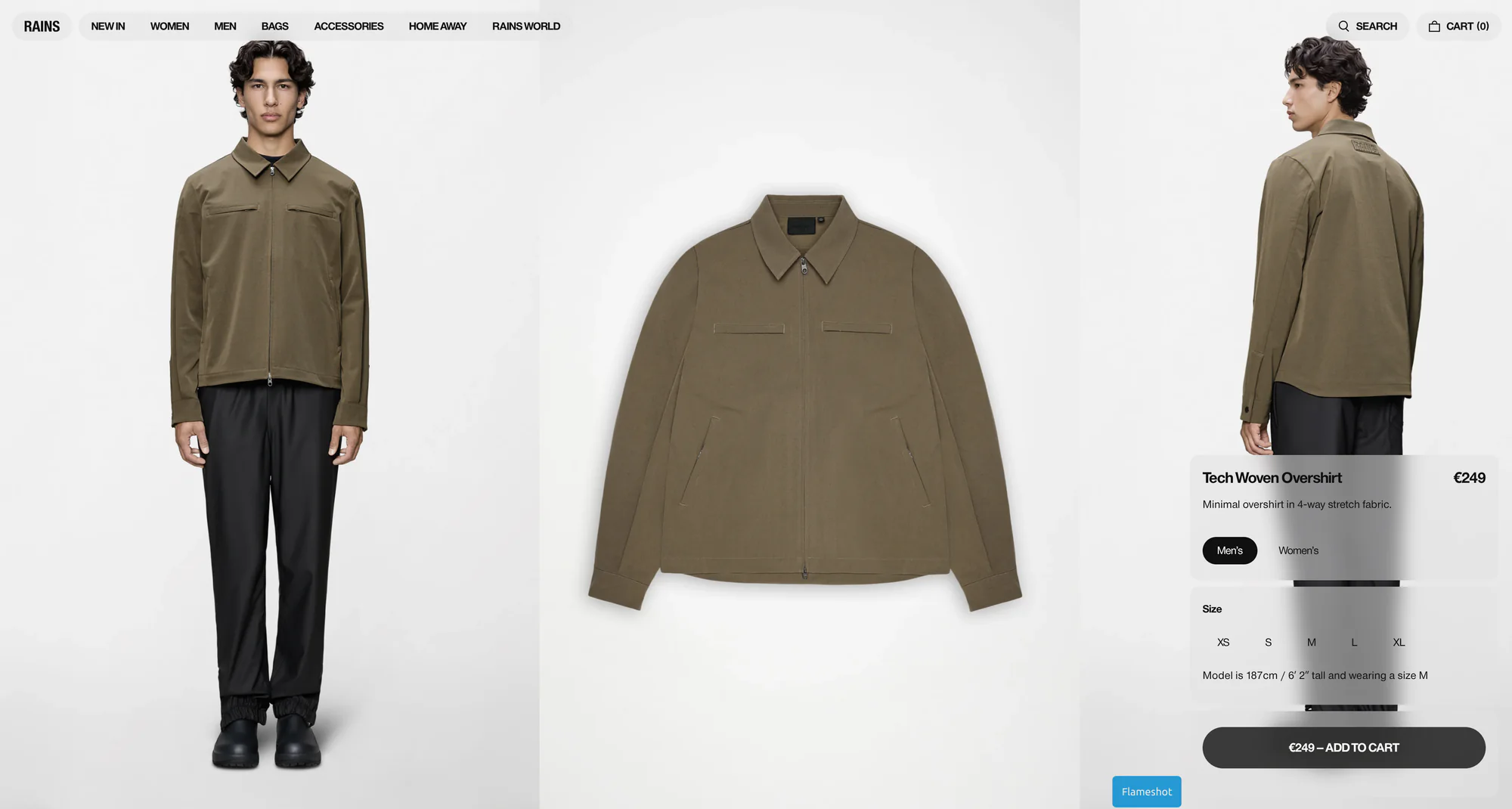
Rains · fashion
Minimal Scandinavian look, muted palette

Typology · beauty
Clean, ingredient-first product pages
Built around your structure: individual design, conversion-focused sections and marketing touches tuned to your catalog.
A typical theme ships megabytes of scripts and styles before a customer sees a single product. Caching makes the same heavy page arrive faster — it doesn't make it lighter.
Slow loading and layout shifts hurt your mobile rankings and make every ad click more expensive. Google measures your real customers' experience — and scores it.
Most of your visitors shop on a phone. Slow category pages, clunky filters and a heavy cart are exactly where they give up before buying.
Off-the-shelf themes make stores look interchangeable and rarely structure the page around your offer. Weak visual presentation, generic blocks and unclear hierarchy fail to communicate brand value or guide shoppers toward a purchase.
WordPress keeps running your business. Next.js serves your customers.
WordPress, WooCommerce, your products, orders, payments and every admin plugin. Your team keeps working exactly the way it does today — nothing to relearn.
Only the storefront your customers see. The generic theme goes — in its place, a premium frontend built around your brand.
Pages open instantly, mobile shopping stops losing buyers, Core Web Vitals turn green — and the store finally looks like your brand, not a template.
GET /wp-json/wc/store/products
Preview
? Frontend for your WooCommerce store
✓ Next.js · App Router
success
Storefront linked to your store
Next steps
•Admin, products & checkout stay in WordPress
•Run npm run dev to preview
Convert more of the traffic you already pay for, instead of buying more of it.
Be findable where people look for what you sell — search, Shopping, and AI answers.
Make buying effortless on the mid-range phone most of your customers actually use.
Serve customers your current storefront cannot: other countries, wholesale, subscribers.
A production-ready foundation, not a demo. Built for real stores and real traffic.
For WooCommerce stores held back by a heavy theme and losing money on SEO or ad traffic: server rendering, smart caching and optimized images.
For stores serving mostly mobile visitors: instant search, a responsive cart, clean product pages and a friction-free path to checkout.
For businesses staying on WooCommerce: checkout runs through your existing WooCommerce flow, so every payment method keeps working as before.
For brands and agencies that need a fast WooCommerce frontend for clients: colors, fonts, layout and multilingual routing are configurable without touching the core.
The results you can expect — the numbers we design every build around. Every project starts with an audit of your real store, so you know exactly how far these targets are from where you are today.
design target for a typical catalog — run our live demos through PageSpeed and see
design target for a typical catalog, measured against your real baseline
your WordPress admin stays untouched
with a full 301 redirect map for anything that moves
Add products, manage orders, run sales — in the same WordPress admin you use today. Edit a price in WooCommerce and it's live on the new storefront.
The biggest fear about changing a storefront is losing Google traffic. That's why a migration plan is part of the product — not an afterthought.
We don't promise rankings — nobody honestly can. We make the migration safe, measurable and reversible.
No blind rebuilds: we look at your store first, agree the scope together, and only switch the domain once everything is verified.
Send us your store URL. We measure the speed, look at your plugins and tell you honestly whether a new frontend is worth it — or whether a cache plugin would do. Sometimes the honest answer is "change nothing yet".
Together we pick a package — setup, customization or migration. You know the scope, timeline and price up front: nothing starts before they are fixed.
We spin the storefront up on a staging URL and connect it to your WooCommerce. Products, cart, coupons and checkout are verified with real test orders — together with you.
We shape the storefront around your brand: colors, fonts, logo and homepage — plus custom sections when your package includes them.
The domain switches only with a full 301 redirect map, monitoring on and a rollback plan ready. For the first weeks we keep a close eye on your Core Web Vitals.
No. WordPress and WooCommerce stay exactly where they are and keep handling your admin, orders, stock and content. NextWoo only replaces the customer-facing storefront your theme used to render.
Nothing changes. Orders are still created in WooCommerce, appear in the same admin screen, trigger the same emails and flow into the same tools you use today.
The storefront is designed for catalogs up to roughly 10–20k products with standard variations. Larger or unusually complex catalogs are quoted as custom projects after the audit.
No. Your hosting, backend, data and team workflow stay. We only replace the frontend — and we start with an audit, not a contract.
If you are happy with your current speed, do not have meaningful traffic yet, plan to leave WooCommerce or need to launch in a few days, a full headless storefront is probably premature. A free audit will confirm that before any work begins.
We keep your URL structure wherever possible, build a full 301 redirect map, carry over titles and metadata from Yoast or RankMath, and verify everything on staging before the switch. We don't promise rankings — we make the migration safe and measurable.
The new storefront is built and tested on a staging URL while your current site keeps running untouched. The domain only switches after we verify orders, payments and redirects together — and switching back takes minutes if you ever need to.
Plugins that work in the admin — payments, shipping, stock, accounting — keep working through WooCommerce. Plugins that render something on the frontend need a compatibility check, which is part of every audit. You get a clear list: works as-is, needs adaptation, or is replaced by a built-in feature.
By default, checkout runs through your existing WooCommerce checkout — every payment method, tax rule and shipping option keeps working exactly like before. A fully headless checkout is available as an option after a payment-gateway audit.
A done-for-you setup starts around $1,999, branded customization from $4,500, and complex migrations are quoted individually. The free audit tells you which level actually makes sense for your store — sometimes the honest answer is that you don't need us yet.
Every package upgrades into the next one, and what you've already paid counts toward it. Many stores start with a standard setup and add branding once the speed gains prove themselves.
Yes — technically this is a headless WooCommerce architecture: WordPress and WooCommerce act as the backend, and the storefront is a separate Next.js application. We just don't lead with the jargon — for your customers it's simply a faster store.
Through the official WooCommerce REST API and Store API, with WPGraphQL supported as an alternative. Products, prices, stock and coupons stay in WooCommerce and appear on the storefront automatically — no manual syncing, no duplicate catalog.
The Next.js storefront deploys to Vercel, Cloudflare or any Node.js hosting, while your WordPress stays on its current hosting. Pages are pre-rendered and cached on a global CDN, then refreshed automatically when your products change.
A theme rebuilds every page on your server and ships heavy scripts to every visitor. The storefront serves pre-rendered pages with optimized images, locally hosted fonts and minimal JavaScript — an architecture designed for green Core Web Vitals instead of one patched with caching plugins.
Start with a free speed audit. You'll get your store's real numbers and an honest recommendation — even if it's "you don't need us".
Find whether hosting, plugins, theme weight or frontend architecture is the real bottleneck.
Decide when WoodMart can be tuned and when the theme becomes the ceiling.
Improve the buying path while keeping WooCommerce operations stable.
Protect URLs, metadata, schema and redirects before changing the storefront.
Compare platform trade-offs before giving up WooCommerce control.
See the production storefront package connected to your existing backend.